A Parent’s Guide to Piano Maestro

Piano Mania


It will be fun watching your child improve their piano skills all while having fun using Piano Maestro in lessons each week!

As your child’s teacher (or YOUR teacher!), I’m looking forward to seeing the progress they will make when they start using it at home each day. This guide will help you understand how this app will benefit your child and how to get it set up on your own iPad.

Overview
What is Piano Maestro?

Piano Maestro is the ultimate piano practice tool that will have students quickly playing their favorite classical, pop, rock, TV and video game songs and themes. It is available in the App Store and works on the iPad.

What skills does it improve?
• Note reading
• Sight reading
• Rhythm
• Inner pulse
• Confidence

What makes it so fun?
• Upbeat background tracks
• Stunning graphics
• Instant rewards and feedback
• Satisfaction of playing REAL music

It works with an acoustic piano?

Yes! Your child practices on your real acoustic or digital piano. Piano Maestro listens from the iPad’s built-in microphone. No wires needed.

I’m already paying for lessons. What value does this add?

Sometimes I wish I could be there with your child to encourage them to keep practicing daily. I’m sure it’s not always easy, as unforeseen challenges will arise.

Since our time each week is just too short, this app will give me eyes on the ground and it will keep them practicing longer and improving more quickly.

How will it be used in lessons?

I will spend a few minutes of each lesson helping your child master a couple of new songs all while having fun! I will also teach them how to use the practice options at home.

At the end of the lesson, we will choose Home Challenge assignments within the app that will show up in your account at home. I’ll get updates when progress is made.


Getting Started
Wow, this sounds awesome. Now, how do I get started?

1) Download Piano Maestro on your iPad from the AppStore
2) Create a JoyTunes account with a parent’s email, under which, you can have multiple profiles for each member of the family.
3) Create a profile for each family member (that means you too Mom and Dad!) inside the Parent/Teacher zone (top right-hand corner of the main screen)
4) Connect to your teacher, me! After creating a profile in the “profiles” tab of the parent/teacher zone, select the student’s profile and click “connect to teacher.” Once I approve the connection to your child, they will receive full access to all content for FREE! I will then also begin receiving weekly progress reports.
5) Start Playing – I will now start assigning you homework, meanwhile, get started on Journey Mode.

When you connect to the O’Connor Music Studio, Piano Maestro is free for as long as you study here.

June 29 ~ Daily Listening Assignment


Korobeiniki is a nineteenth-century Russian folk song that tells the story of a meeting between a peddler and a girl, describing their haggling over goods in a veiled metaphor for courtship.

Outside Russia, “Korobeiniki” is widely known as the Tetris theme.


Orchestral version:


For Boomwhackers:

Vocal:


Ragtime:


Balalaika:


The Red Army Choir:

Korobeiniki/Tetris is available in Piano Maestro on the iPad and I have the sheet music for anyone who is interested.

Enjoy!

NoteWorks App


There’s a new app in the studio! It’s called NoteWorks and it looks like it will be fun for the students.  NoteWorks is an engaging, fun game, designed to teach note reading.

Beginners use NoteWorks as a terrific alternative to flash cards. More advanced students use the full version to practice key signatures with up to seven sharps and flats in multiple clefs.

Kids love the app because it’s fun and addictive. Teachers and parents love how the game improves students’ note recognition and sight reading skills.

If you want this for home use, it’s available for iPhone, iPad and Android.  The cost for the full version for home use is a one time fee $4.99, directly in the app.  More info at https://doremiworld.com/Games/NoteWorks

I already have my students set up so we can use this during lessons, but let me know if you plan to use this at home and I’ll give you the code to connect to the studio account.

The objective of this game is to teach note recognition and improve sight reading skills. Game options include treble and bass clefs (with the grand staff option) as well as tenor and alto clefs.

Students may identify notes using the piano keyboard and practice using the Do, Re, Mi or the A, B, C note naming. The game starts by teaching a limited range of notes, with the range gradually increasing. As the players acquire basic note reading skills, the game becomes more challenging, with the introduction of accidentals, and subsequently key signatures.


Summer Camp is Now In Session!


A NEW version of Piano Maestro has arrived with Summer Camp (YAY!), new engine for improved note recognition and multiple bug fixes! Make sure to update your app to get:

***Summer Camp!
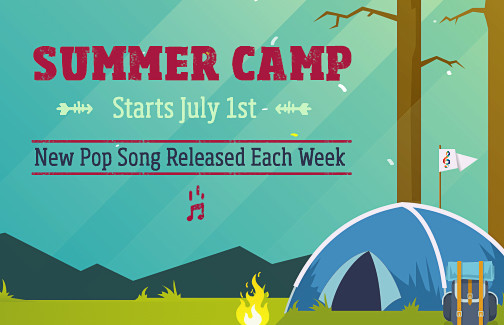
– Tune in each week to see which free song will be released for your students to learn and play
– “Johnny B Goode” by Chuck Berry is this week’s first song
– Available in three versions (easy, melody line and 2 hand version), songs can be accessed from the main menu or the new Summer Camp category in the Library
– Each week, a top student with 3 stars will be awarded a gift card!

***NEW next-generation MusicSense engine for improved sound recognition for those of you that have been experiencing a few issues.

***We also made multiple bug fixes thanks to your feedback, such as better looking clefs and song audio snippets now play properly. And, of course the icon got a summer makeover 😎

Enjoy!

Piano Maestro – New Easter Song

pm-easter


There’s an “egg-citing” new song release in Piano Maestro so students can play more Easter themed songs!

“This Is Amazing Grace” by Phil Wickham has just been added! It can be found in the Holiday (Easter) category in the Library in three different versions – easy, melody line and a nice 2 hand version!

Enjoy!

JoyTunes Piano Maestro Update Today

Piano-Maestro-End-Game


The day has arrived, the new Piano Maestro update is now out (it will take a few hours to appear in the App Store)! Based on your feedback you’ll find a lot of goodies inside, as well as the new plans.

Highlights include 5 new method books (like lesson book 3 from Alfred’s Premier Piano Course and 3 new books from Jennifer Eklund’s Spotlight series), over 50 avatars, practice options for learn levels, fun animation to mark method books, ability to add notes to Home Challenges, enhanced teacher reports, tons of exciting new songs and various enhancements, like new MIDI sounds, no more conflicts with other MIDI apps and notation fixes.

We updated the FAQ so check that out too. https://welcome.joytunes.com/faq-teachers/

Just a reminder to make sure you update to the latest version (Mine is here now).

Thanks for your continued support and all the valuable input and feedback you have given us over the last few weeks. Let us know what you think!

See yesterday’s post for a video on how to download the new app, if you need help.

JoyTunes / Piano Maestro Update Tomorrow!

Piano-Maestro-End-Game


Once the new version tomorrow (Wednesday, August 190, 2016) is out you can manually update the app by exiting out of the app, go to the App Store and you’ll see the update tab where you’ll see Piano Maestro with “Update” next to it , tap on that and it will update to the latest version.

If you have automatic updates for apps switched on from your iPad settings under iTunes & App Store, Piano Maestro will automatically be updated.

This tutorial by David might help

Piano Maestro has become a paid app as of this update.  JoyTunes, the makers of Piano Maestro, very recently announced they will no longer be able to continue offering full access to the app on free accounts for students and will be introducing new membership plans. Pop songs, method books and other licensed content, plus home access will become premium as they can no longer continue to absorb the royalty payments.

They also announced the new version will have tons of new exciting songs, as well as 5 new method books from top publishers.

The O’Connor Music Studio will cover the cost of studio access for Piano Maestro.

Home access will be available for 50% off at $30 a year per family (due by August 18th).

I highly encourage you to use this at home if you have an iPad so your student can continue to have full access to all the fun licensed pop songs, exercises & content at home. It will be the best screen time of the week at your house!

If you want to continue to use Piano Maestro at home as well as in lessons the cost will be an additional $5.00 per month or $30 annually for the 2016-2017 school year.

You can purchase Piano Maestro through the App Store for $59.99 per year on your own or take the special discounted price I’ve secured for our Studio families.  The music is super fun and who doesn’t love to see a motivated musician? I’ve seen in my studio that the kids that use Piano Maestro really progress faster, I’d hate for you to miss out!

Please let me know your choice as soon as possible, or no later than August 18
• I prefer a monthly (Sept-June) $3 tech fee.
• I prefer a yearly (Sept-June) $30 tech fee.
• I will buy Piano Maestro for $59.99 directly from the App Store.
• I prefer not to use Piano Maestro at home, so there will be no additional cost

Thanks!

Piano Maestro – Olympics

pm-olympics


Good morning everyone!

Some of you asked for some Olympic themed music, and so the wonderful folks at JoyTunes have been hard at work to give us the 2016 Summer Olympics experience!

They now have over 15 National Anthems added to Piano Maestro (some with simplified versions also)! You’ll find them in the brand new National Anthems category and they can be accessed from the main menu (note, Summer Camp is now over).

The National Anthems from around the world will remain free for all for the duration of the Olympics.

Game on:)

https://youtu.be/yFG7Xbs9UJI

Summer Camp News!

PM-SummerCamp


Hi!
I hope summer is going well and everyone is remembering to wear sunscreen! I have some exciting news on the Piano front!

JoyTunes, the app team that created Piano Maestro and Simply Piano is once again starting SUMMER CAMP next week! One lucky winner will receive an Amazon gift card!

Here’s how it works!

Every week for the duration of Summer Camp the JoyTunes Team will release a summer camp song. They will announce the song on social media, email and through me! There will be several versions of the tune so everyone can play. Students who get 3 stars on the song will automatically be registered in the drawing to win.

The more they play the more entries they get! Super easy!

Remember to force quit after each practice session for your entry to count! What a great way to retain those piano skills we worked so hard for this year!

The WINNER will be announced by Facebook, Twitter, Instagram and if it’s you, EMAIL! Don’t worry! JoyTunes won’t post anything without your permission!

Start brushing up by playing last year’s Summer Camp tunes and get ready to PLAY!

Happy Summer!
MaryO and The JoyTunes Team

maryOivoryandroses

Valentine Contest!

valentine-pm


Love is in the air!

To celebrate Valentine’s Day this year, students who play any version of John Legend’s “All of Me” using Piano Maestro and get 3 stars will have a chance to win an Amazon gift card!

The winner will be announced on February 15th!

NOTE: This is a contest through JoyTunes/Piano Maestro so the winner may not be from the O’Connor Music Studio.

MaryOOneRose