These collectible cards will excite and motivate your beginning students. Your student will get one when they complete a task or accomplish a goal in their musical journey! Each level has fifty-four achievement cards. There is enough for the whole year.
Bravo Badges are designed to be eye-catching. Your students will love showing off their collection.
When the next levels become available, intermediate students will be able to collect these, as well.
Food Trucks, live entertainment, moon bounces, obstacle course, glow-in-the dark sports games, balloon sculptures, face painting, glitter tattoos…and more!
About 1 mile from the O’Connor Music Studio, off route 50 at 12401 Alder Woods Drive, Fairfax, VA 22033
Invite your friends and neighbors! We’re going to have a blast! And as part of this fun evening, we’re having a Pender’s Got Talent Show (similar to “America’s Got Talent” Show but with Pender’s very own judges and MC!)
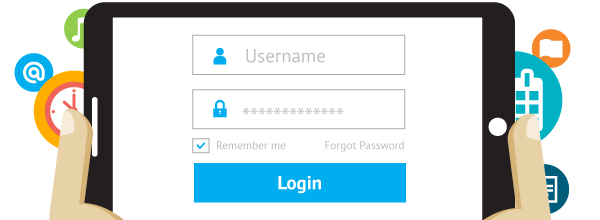
The O’Connor Music Studio features fully functional parent/student portals. These are a great way to share information with you, save time, and add value to your lessons.
The student portal provides you with:
Student’s calendar with upcoming lessons and events
Student’s repertoire
Student’s practice log
Family’s account and invoice information (only visible to parents/adult students)
Access to your download library and a list of borrowed items
View student’s attendance
Track student’s practice time and leave notes or questions from the practice session
Add and track their repertoires
View their email history
View Mrs. O’Connor’s contact information
Keep up-to-date with studio news
Students can also join and cancel lessons based on the OCMS studio cancellation policy.
Using the student portal is completely optional, but highly recommended.
How do I join the Student Portal? To join the student portal your teacher must send you your login information. Once received you will be able to access the student portal and all of its features.
How do I cancel a Lesson? To cancel a scheduled lesson simply click on the lesson or event in your calendar and click “Cancel Attendance”. You can optionally leave your teacher a note about why you are canceling in the provided “Note to Teacher” dialogue box.
How do I register for an Open Lesson Slot? To register for an Open Lesson Slot click on the event or lesson on the calendar as select “Register”. A dialogue box will appear asking you if you “are you sure you want to register for this Open Slot?” Click “Yes”. If the lesson or event you are trying to register for is a recurring event, choose the dates you would like to attend.
Check your email for information about logging in!
Food Trucks, live entertainment, moon bounces, obstacle course, glow-in-the dark sports games, balloon sculptures, face painting, glitter tattoos…and more!
About 1 mile from the O’Connor Music Studio, off route 50 at 12401 Alder Woods Drive, Fairfax, VA 22033
Invite your friends and neighbors! We’re going to have a blast! And as part of this fun evening, we’re having a Pender’s Got Talent Show (similar to “America’s Got Talent” Show but with Pender’s very own judges and MC!)
EVERYONE has a unique talent to share!
Do you sing, dance, act?
Recite poetry or other writing?
Lip-sync to your favorite song?
Tell jokes?
Can you share your (stage appropriate) athletic talent?
Thank you for your interest in the O’Connor Music Studio!
Available times are on Mondays, Wednesdays and Fridays during the day and after school for all ages and levels. There may be other times available if requested.
After you register, you will get a confirmation email with the information you need to access the Student Portal. After logging in you may choose from the available lesson times or request something different.
Your $20.00 interview deposit will be credited towards the second month of lessons.
If you are a transfer student, please bring your most recent method book(s) and notebook to the interview.
Prospective students must have a piano, organ or electric keyboard to use for daily practice.
Roadtrip! students (ages 4-5) are scheduled for half-hour lessons with their parents present.
Beginning children (ages 6 to 9) are scheduled for half-hour lessons.
Youth (ages 10 and up) may be scheduled for half-hour lessons or forty-five minute lessons.
Adults are highly encouraged to take hour-long lessons, but are always welcome to schedule half-hour lessons at first.
The Piano Puzzlers book is available in the O’Connor Music Studio library if you’d like to give any a try. Piano Puzzlers as heard on American Public Media’s “Performance Today.” Includes 32 tunes with songs by Gershwin, Berlin, Arlen, Porter, Rodgers, Fats Waller, Lennon & McCartney, and others disguised in the styles of Bach, Handel, Haydn, Mozart, Beethoven, Brahms, Schubert, Schumann, Chopin, Janacek, Debussy, Ravel, Rachmaninoff, Stravinsky, Prokofiev, Bartok, and Copland.
Includes an introduction by Fred Child, host of “Performance Today” as well as background info by Bruce Adolphe. “Bruce Adolphe has taken a common musician’s party game and elevated it to high art and truly funny musical slapsticks. The Piano Puzzlers are a unique combination of extraordinary insight into the styles of many composers subtle, expert workmanship and great, great fun!”
If you’re a music geek (like me), I have a program for you. Now, let me be clear, to fully qualify as a music geek…you must have a fond appreciation for classical music (no, Poison, Quiet Riot, and Zepplin do not count as classical music). So, if you’re a “music geek” without an appreciation for classical music…well, I hate to burst your bubble…but, you’re not truly a music geek. Instead, you’re a music appreciator, but not a geek. So, if you just listen to indie music and scowl at anything on a label larger than Matador…don’t bother following the link I’ll provide…the fun will be lost on you…And, you probably won’t have a chance.
Every Wednesday night, on my way home from WNL, I turn on my local NPR station to listen to Piano Puzzlers on Performance Today. It’s absolutely incredible. A pianist/composer (Bruce Adolphe) takes a familiar folk or pop tune and sets it inside a classical masterpiece (or in the style of a particular composer). Sometimes it’s easy…sometimes it’s ridiculously difficult. There are days when I say, “got it” on the first pass. Then there are days when I say, “what the heck?” And, more often than not, I’m able to get either the popular/folk tune or the composer.
This is sad to admit, but there are nights when I’ll slow down on the drive home or sit in the car in the driveway to finish an episode. In fact, I get a little worked up if someone stops me after WNL…as I might miss the beginning of Piano Puzzlers (it usually hits around 8:20pm on our local station).
Take a listen to some of the archives and see if you can figure it out! It’s really cool…but probably only appreciated by music geeks (the kind of people that listen to NPR for their musical programs and not just the snipets of cool indie rock between segments on All Things Considered…which is a great show too).
There’s a new app in the studio! It’s called NoteWorks and it looks like it will be fun for the students. NoteWorks is an engaging, fun game, designed to teach note reading.
Beginners use NoteWorks as a terrific alternative to flash cards. More advanced students use the full version to practice key signatures with up to seven sharps and flats in multiple clefs.
Kids love the app because it’s fun and addictive. Teachers and parents love how the game improves students’ note recognition and sight reading skills.
If you want this for home use, it’s available for iPhone, iPad and Android. The cost for the full version for home use is a one time fee $4.99, directly in the app. More info at https://doremiworld.com/Games/NoteWorks
I already have my students set up so we can use this during lessons, but let me know if you plan to use this at home and I’ll give you the code to connect to the studio account.
The objective of this game is to teach note recognition and improve sight reading skills. Game options include treble and bass clefs (with the grand staff option) as well as tenor and alto clefs.
Students may identify notes using the piano keyboard and practice using the Do, Re, Mi or the A, B, C note naming. The game starts by teaching a limited range of notes, with the range gradually increasing. As the players acquire basic note reading skills, the game becomes more challenging, with the introduction of accidentals, and subsequently key signatures.
A NEW version of Piano Maestro has arrived with Summer Camp (YAY!), new engine for improved note recognition and multiple bug fixes! Make sure to update your app to get:
***Summer Camp!
– Tune in each week to see which free song will be released for your students to learn and play
– “Johnny B Goode” by Chuck Berry is this week’s first song
– Available in three versions (easy, melody line and 2 hand version), songs can be accessed from the main menu or the new Summer Camp category in the Library
– Each week, a top student with 3 stars will be awarded a gift card!
***NEW next-generation MusicSense engine for improved sound recognition for those of you that have been experiencing a few issues.
***We also made multiple bug fixes thanks to your feedback, such as better looking clefs and song audio snippets now play properly. And, of course the icon got a summer makeover 😎