
Piano Lessons at the O’Connor Music Studio resume September 14, 2015.
If you haven’t reserved your time for the fall, please register here.
See you then!

Piano Lessons at the O’Connor Music Studio resume September 14, 2015.
If you haven’t reserved your time for the fall, please register here.
See you then!
Kris Skaletski and Jennifer Eklund are happy to announce that, Roadtrip!, the first book in our new preschool method book series, is officially for sale! Student books are available now in both digital and hardcopy. The teacher guidebook, with comprehensive lesson plans and multiple teacher duets for all 18 songs, is available digitally now. Hardcopies of the guidebook will be available next Wednesday, July 29th.
BONUS: The soundtrack is FREE in the introductory selling period! You can hear all the music and see the insides of the student book and teacher guidebook on the website. Full-time fun ahead!
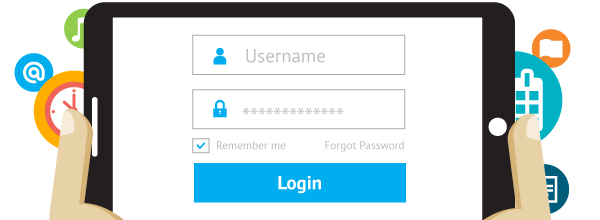
The O’Connor Music Studio features fully functional parent/student portals. These are a great way to share information with you, save time, and add value to your lessons.
The student portal provides you with:
Students can also join and cancel lessons based on the OCMS studio cancellation policy.
Using the student portal is completely optional, but highly recommended.
How do I join the Student Portal?
To join the student portal your teacher must send you your login information. Once received you will be able to access the student portal and all of its features.
How do I cancel a Lesson?
To cancel a scheduled lesson simply click on the lesson or event in your calendar and click “Cancel Attendance”. You can optionally leave your teacher a note about why you are canceling in the provided “Note to Teacher” dialogue box.
How do I register for an Open Lesson Slot?
To register for an Open Lesson Slot click on the event or lesson on the calendar as select “Register”. A dialogue box will appear asking you if you “are you sure you want to register for this Open Slot?” Click “Yes”. If the lesson or event you are trying to register for is a recurring event, choose the dates you would like to attend.
Check your email for information about logging in!

It will be fun watching your child improve their piano skills all while having fun using Piano Maestro in lessons each week!
As your child’s teacher (or YOUR teacher!), I’m looking forward to seeing the progress they will make when they start using it at home each day. This guide will help you understand how this app will benefit your child and how to get it set up on your own iPad.
Overview
What is Piano Maestro?
Piano Maestro is the ultimate piano practice tool that will have students quickly playing their favorite classical, pop, rock, TV and video game songs and themes. It is available in the App Store and works on the iPad.
What skills does it improve?
• Note reading
• Sight reading
• Rhythm
• Inner pulse
• Confidence
What makes it so fun?
• Upbeat background tracks
• Stunning graphics
• Instant rewards and feed back
• Satisfaction of playing REAL music
It works with an acoustic piano?
Yes! Your child practices on your real acoustic or digital piano. Piano Maestro listens from the iPad’s built in microphone. No wires needed.
I’m already paying for lessons and books. What value does this add?
Sometimes I wish I could be there with your child to encourage them to keep practicing daily. I’m sure it’s not always easy, as unforeseen challenges will arise.
Since our time each week is just too short, this app will give me eyes on the ground and it will keep them practicing longer and improving more quickly.
How will it be used in lessons?
I will spend a few minutes of each lesson helping your child master a couple of new songs all while having fun! I will also teach them how to use the practice options at home.
At the end of the lesson, we will choose Home Challenge assignments within the app that will show up in your account at home. I’ll get updates when progress is made.
Getting Started
Wow, this sounds awesome. Now, how do I get started?
1) Download Piano Maestro on your iPad from the AppStore
2) Create a JoyTunes account with a parent’s email, under which, you can have multiple profiles for each member of the family.
3) Create a profile for each family member (that means you too Mom and Dad!) inside the Parent/Teacher zone (top right hand corner of main screen)
4) Connect to your teacher, me! After creating a profile in the “profiles” tab of the parent/teacher zone, select the student’s profile and click “connect to teacher.” Once I approve connection to your child, they will receive full access to all content for FREE! I will then also begin receiving weekly progress reports.
5) Start Playing – I will now start assigning you homework, meanwhile get started on Journey Mode.
When you connect to the O’Connor Music Studio, Piano Maestro is free for as long as you study here.

You only need to practice on the days that you eat 🙂
When my students are first working with the Grand Staff, they are often confused about the placement of the various clefs.
In piano music, we generally use only the G-clef (Treble clef – not “trouble clef” as some think!) and the F-clef (Bass clef) I try to show students how the curvy part of the G-clef wraps around the G above middle C and the F-clef looks sort of like an F marking the F below middle C. I draw out G and F on the staff to show how these could have looked.
Originally, instead of a special clef symbol, the reference line of the staff was simply labeled with the name of the note it was intended to bear: F and C and, more rarely, G. These were the most often-used ‘clefs’ in Gregorian chant notation. Gregorian chant developed mainly in western and central Europe during the 9th and 10th centuries, with later additions and redactions.
Over time the shapes of these letters became stylized, leading to their current versions.
NOT Mrs. O’Connor!
See if a prospective teacher allows a trial lesson to test how the personalities mesh. And be sure to ask lots of questions. What’s the teacher’s background as a musician and as an instructor? What kinds of teaching materials and music does she use? How much practice time is expected for students, and does that vary by the student’s age? Does the teacher have access to student ensembles? What kinds of performance opportunities will he provide? Will the teacher allow the student to record the lesson? This can be a terrific practice aid, especially when it comes to remembering how something is supposed to sound. Does she teach any music theory or composition? What are the expectations for students and for their parents?
A good teacher can be a friendly, encouraging and inspiring presence — even when a student hits rough patches. He will point out the student’s weaknesses without being harsh or dismissive, suggest innovative ways to overcome challenges, and create engaging ways to tackle even rote activities like playing scales or honing fine motor skills. The instructor’s age and experience might or might not be a deciding factor; for example, I’m consistently impressed by the range of tricks my own child’s very youthful private teacher has up her sleeve to turn what could easily be drudgery into fun. Not to mention the huge helpings of good humor and patience she brings to her tiny charges!
Read more at Finding The Right Teacher For Your Music-Loving Kid : Deceptive Cadence : NPR.
AKA “Throwback Thursday”. And no, this is NOT a picture from my past 🙂
Old Picture of the Day: Piano Lessons: “Piano Lessons

This photograph was taken in 1899, and shows a young girl taking “Piano Lessons”
More about this picture here:
Great blog post! Thanks, Andrea 🙂

I have copies of the above sheet music in the music studio, if anyone wants to play this!
Having trouble counting various note values?
In music notation, a note value indicates the relative duration of a note, using the color or shape of the note head, the presence or absence of a stem, and the presence or absence of flags/beams/hooks/tails.
A rest indicates a silence of an equivalent duration.
Read the article at Note values.


