Simply Piano helps you learn piano step by step, no previous knowledge required. It works with any piano or keyboard. Simply Piano is meant to teach people with little to no previous experience how to play songs and read music.
Run the app as you play and it provides real-time feedback as you progress through lessons. Just place your iPhone (or iPad) on your piano (or use your MIDI keyboard) and play, your iPhone will immediately recognize what you are playing!
The app slowly progresses from learning a few notes at a time to simple (and later, more complex) songs.
The app doesn’t let you skip ahead between lessons to maximize their effect. But not everyone has to start at square one. If you have some prior experience, you can indicate that the first time you use the app and it adjusts accordingly.
Vivaldi, one of the greatest baroque composers, has a very interesting story. He ran an orphanage in the 18th century in Italy that became famous all over the western world for its musically talented children. A lot of his pieces were written for specific children in his school. Vivaldi learned the violin from his father, and was trained as a priest. He was nicknamed “the red priest” for his red hair and was apparently somewhat sure of himself, having claimed once he can compose a concerto faster than it can be copied.
Vivaldi wrote over 500 pieces, most of which are lost today. He is considered one of the greatest musical landmarks in history, having inspired many composers that followed him, including J.S.Bach and others.
Labor Day is a United States federal holiday observed on the first Monday in September celebrating the economic and social contributions of workers.
The first Labor Day holiday was celebrated on Tuesday, September 5, 1882, in New York City, in accordance with the plans of the Central Labor Union. The Central Labor Union held its second Labor Day holiday just a year later, on September 5, 1883.
In 1884 the first Monday in September was selected as the holiday, as originally proposed, and the Central Labor Union urged similar organizations in other cities to follow the example of New York and celebrate a “workingmen’s holiday” on that date. The idea spread with the growth of labor organizations, and in 1885 Labor Day was celebrated in many industrial centers of the country.
It was first nationally recognized in 1894 to placate unionists following the Pullman Strike. With the decline in union membership, the holiday is generally viewed as a time for barbecues and the end of summer vacations – and time to go back to school in Fairfax County – and piano lessons!
MOMs, DADS, are you looking for a place to have fun and fellowship with your children and other parents? We begin our 3rd year on Sept. 18th at 10am on Fridays in the Cornerstone Room (Rm. 215) at Pender United Methodist Church on Route 50. This program is for all parents and their children, ages 0 to 5.
The morning starts with 30 minutes of age appropriate interactive music followed by a snack and then playing with toys while the parents enjoy a time of fellowship and breakfast. These activities all take place in the same room.
This program continues though the school year and each semester there is a fee of $30 per family to cover the food and snacks.
For more information, please email Roberta Pont by clicking on this link.
Pender is located at 12401 Alder Woods Drive which is off Route 50 just east of the Fairfax County Parkway, about 10 minutes away from the O’Connor Music Studio.
From the Fairfax County Parkway: Take the exit marked Route 50, East. Get in left lane as soon as possible. Turn left at first light. Follow Alder Woods Drive to the church entrance on the left.
From I-66: Take the exit marked Route 50, West. Turn right at the third traffic light. Follow Alder Woods Drive to the left to the church entrance on the left.
NOTE: When you enter Alder Woods Drive you will see Christ Presbyterian Church in front of you. They are very nice people, but that’s not where you’re headed. Go left. When Alder Woods Drive curves to the right, Pender Church will be on the left side.
These days, there is much pressure for parents to begin their children in activities from an early age. We know that children tend to pick up new skills easily and we want for them to have an opportunity to become experts at these new skills. We also see curiosity, desire and eagerness to learn in our children and want to capitalize on that.
Music lessons are no exception. We often get calls asking the question, “When is the best time to enroll my child in piano lessons?” The answer to that is a tricky one, and varies for each child. The right age for one may not be the right age for another. Here are a few questions to ask yourself if you are considering enrolling your child in music lessons:
1. Does my child have an attention span to sit still for chunks of time and listen to instruction?
Many teachers today are very creative in using off-bench activities during lessons and have a plethora of activities to make lessons fun and engaging. However, the fact remains that your child will need to sit at the piano for some periods of time during the lesson. It is important that your child have the attention span to do this.
Kris Skaletski and Jennifer Eklund are happy to announce that, Roadtrip!, the first book in our new preschool method book series, is officially for sale! Student books are available now in both digital and hardcopy. The teacher guidebook, with comprehensive lesson plans and multiple teacher duets for all 18 songs, is available digitally now. Hardcopies of the guidebook will be available next Wednesday, July 29th.
Ideal for students ages 4 and up.
On the staff from the start
Music is a mix of familiar tunes and original pieces
Multi-key approach
18 songs that can be learned by note or rote
Clean easy-to-follow pages (great for special needs students!)
BONUS: The soundtrack is FREE in the introductory selling period! You can hear all the music and see the insides of the student book and teacher guidebook on the website. Full-time fun ahead!
The O’Connor Music Studio features fully functional parent/student portals. These are a great way to share information with you, save time, and add value to your lessons.
The student portal provides you with:
Student’s calendar with upcoming lessons and events
Student’s repertoire
Student’s practice log
Family’s account and invoice information (only visible to parents/adult students)
Access to your download library and a list of borrowed items
View student’s attendance
Track student’s practice time and leave notes or questions from the practice session
Add and track their repertoires
View their email history
View Mrs. O’Connor’s contact information
Keep up-to-date with studio news
Students can also join and cancel lessons based on the OCMS studio cancellation policy.
Using the student portal is completely optional, but highly recommended.
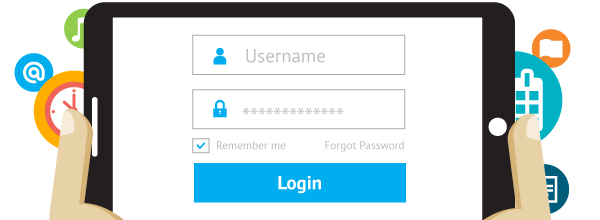
How do I join the Student Portal? To join the student portal your teacher must send you your login information. Once received you will be able to access the student portal and all of its features.
How do I cancel a Lesson? To cancel a scheduled lesson simply click on the lesson or event in your calendar and click “Cancel Attendance”. You can optionally leave your teacher a note about why you are canceling in the provided “Note to Teacher” dialogue box.
How do I register for an Open Lesson Slot? To register for an Open Lesson Slot click on the event or lesson on the calendar as select “Register”. A dialogue box will appear asking you if you “are you sure you want to register for this Open Slot?” Click “Yes”. If the lesson or event you are trying to register for is a recurring event, choose the dates you would like to attend.
Check your email for information about logging in!
It will be fun watching your child improve their piano skills all while having fun using Piano Maestro in lessons each week!
As your child’s teacher (or YOUR teacher!), I’m looking forward to seeing the progress they will make when they start using it at home each day. This guide will help you understand how this app will benefit your child and how to get it set up on your own iPad.
Overview What is Piano Maestro?
Piano Maestro is the ultimate piano practice tool that will have students quickly playing their favorite classical, pop, rock, TV and video game songs and themes. It is available in the App Store and works on the iPad.
What skills does it improve?
• Note reading
• Sight reading
• Rhythm
• Inner pulse
• Confidence
What makes it so fun?
• Upbeat background tracks
• Stunning graphics
• Instant rewards and feed back
• Satisfaction of playing REAL music
It works with an acoustic piano?
Yes! Your child practices on your real acoustic or digital piano. Piano Maestro listens from the iPad’s built in microphone. No wires needed.
I’m already paying for lessons and books. What value does this add?
Sometimes I wish I could be there with your child to encourage them to keep practicing daily. I’m sure it’s not always easy, as unforeseen challenges will arise.
Since our time each week is just too short, this app will give me eyes on the ground and it will keep them practicing longer and improving more quickly.
How will it be used in lessons?
I will spend a few minutes of each lesson helping your child master a couple of new songs all while having fun! I will also teach them how to use the practice options at home.
At the end of the lesson, we will choose Home Challenge assignments within the app that will show up in your account at home. I’ll get updates when progress is made.
Getting Started
Wow, this sounds awesome. Now, how do I get started?
1) Download Piano Maestro on your iPad from the AppStore
2) Create a JoyTunes account with a parent’s email, under which, you can have multiple profiles for each member of the family.
3) Create a profile for each family member (that means you too Mom and Dad!) inside the Parent/Teacher zone (top right hand corner of main screen)
4) Connect to your teacher, me! After creating a profile in the “profiles” tab of the parent/teacher zone, select the student’s profile and click “connect to teacher.” Once I approve connection to your child, they will receive full access to all content for FREE! I will then also begin receiving weekly progress reports.
5) Start Playing – I will now start assigning you homework, meanwhile get started on Journey Mode.
When you connect to the O’Connor Music Studio, Piano Maestro is free for as long as you study here.
Many homeowners don’t realize that there are movers available to them who specialize in the transportation and storage of pianos. A piano is a delicate instrument and not something you want to take risks with. By trusting this major job to a piano mover, you can rest easy knowing that one of the most valuable items in your home is being transported with the care it deserves.
But It Weighs 1500 Pounds. How Delicate Can It Be?
This is exactly where many homeowners go wrong. Sure, that piano in your living room is heavy enough to throw out the backs of four or five of your best buddies as you wrestle it out the door and up into the truck, but don’t let that fool you. Despite its bulky appearance, it is also a precision musical instrument with over 1000 moving parts and 200 finely-tuned strings, any number of which can be damaged and require repair if your piano isn’t handled properly in a move.
Your Piano Mover Understands Pianos
These intricate inner workings of a piano are exactly why hiring an expert in piano moving is so important. These professionals understand pianos and moving them, from the safest way to lift and twist a standard upright piano to get it out the door, to how to properly disassemble a grand piano and transport it without causing any damage. And even more importantly, a piano mover understands that when your piano is delivered to your new home, you expect to be able to sit down and play it right away. It’s why many piano movers keep tuners and repairmen on staff, and why the rest will have a trusted list of professionals available on request if you need it.






 MaryO'Studio